Front Desk Automation: The Complete 2026 Playbook
What is front desk automation?
Front desk automation replaces the manual, repetitive parts of running a reception area — check-in, scheduling, intake forms, payments, reminders, and phone answering — with software or hardware that does them without a person standing there. It doesn't mean removing the front desk from your business. It means removing the parts of the job that are pure data entry and queue management, so the humans you do have (or the ones you were about to hire) spend their time on the things a screen can't do: judgment calls, de-escalation, and genuinely helping someone who's confused or upset.
Most businesses that search for "automated front desk software" already know they have a bottleneck. What's less obvious is how much of that bottleneck can be automated today, and how much still needs a human. This is the practical breakdown.
The six things you can actually automate
Not every front-desk task automates equally well. Here's what's mature enough to trust in production, ranked roughly by how much time it recovers.
1. Check-in
The single highest-friction moment at any front desk is the first 60-90 seconds someone stands there waiting to be acknowledged. A self-service check-in flow — kiosk, tablet, or QR-to-form — handles ID verification, appointment lookup, and form updates without a receptionist typing the same fields a patient or guest already filled in online. Face2me's kiosk check-in averages under 60 seconds per visitor, including ID scan and insurance or payment card capture.
2. Scheduling and rebooking
Booking a new appointment, rescheduling, or joining a waitlist doesn't require a human decision in the vast majority of cases — it requires access to a calendar and a set of rules. Automated scheduling that writes directly into your practice management or property system (not a side calendar someone has to reconcile later) eliminates double-booking and the back-and-forth of "let me check and call you back."
3. Intake and forms
Paper clipboards and repeated data entry are the most avoidable cost in any front office. Digital intake — captured once, synced everywhere — cuts the time a new patient or guest spends standing at the counter, and it cuts the time your staff spends re-typing what someone already wrote by hand.
4. Payments and copays
Collecting a copay, deposit, or balance at the point of check-in, rather than chasing it after the visit, is one of the more underrated automations. It requires an integrated card terminal, not a separate payment link emailed later that half your visitors never open.
5. Reminders and no-show reduction
Automated SMS and email reminders are the easiest win on this list and the one with the clearest, most citable payoff: consistent same-day reminders reduce no-shows by roughly 40% compared to no reminder system at all. This alone can pay for a front-desk automation platform in a slow month.
6. Phone answering
Inbound calls that would otherwise go to voicemail during a busy stretch — someone confirming an appointment, asking about hours, or trying to reschedule — can be captured by an AI answering layer instead of ringing out. This is the one area where automation still commonly hands off to a human for anything outside a narrow script, and it should.
The four levels of front desk automation
Businesses evaluating "front desk software" usually don't start at the top. It helps to think in levels.
Level 1 — Point tools. A scheduling app here, a reminder tool there, a separate payment link. Cheap to start, but every tool is a separate login, a separate integration (or no integration at all), and a separate point of failure. Most small practices start here and outgrow it within a year.
Level 2 — Connected software stack. The scheduling tool talks to the reminder tool talks to the payment processor, usually through a practice management system as the hub. This removes double entry but still requires a person at the desk to run the physical check-in — greeting people, handing over a clipboard or tablet, answering "where do I go."
Level 3 — Self-service kiosk or tablet. A physical touchpoint in the lobby that handles check-in, form updates, and payment without staff involvement for routine visits. This is where the time savings become visible on a schedule, not just on a spreadsheet — but a plain kiosk still can't answer "is Dr. Patel running late" or greet someone in Spanish when your kiosk software only speaks English.
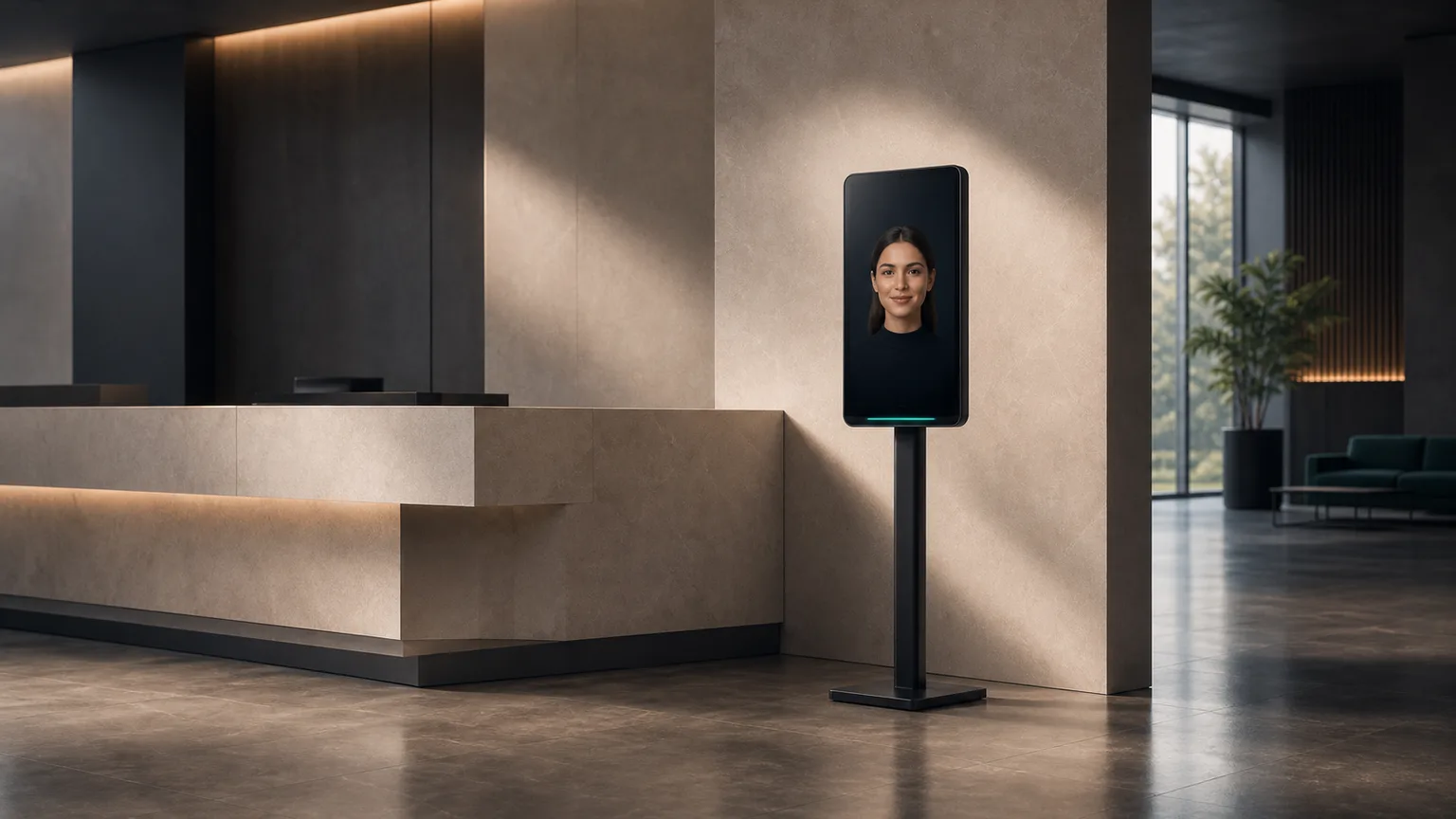
Level 4 — Full AI reception kiosk. A touchscreen kiosk with a lifelike avatar that greets visitors by name, checks them in, verifies insurance in real time, collects payment, answers common questions, and auto-detects and responds in 30+ languages — functioning as the front desk, not just a form on a screen. This is the level that actually replaces headcount rather than assisting it, and it's the one that most changes the math below.
The ROI math: automation vs. a front-desk hire
The comparison that actually matters isn't "automation vs. nothing" — it's automation vs. the front-desk hire you were about to make or the one you're currently paying to sit at a desk doing data entry.
A fully loaded front-desk receptionist in the U.S. costs roughly $39,000-$47,000/year once you add payroll taxes, benefits, and the turnover and hiring costs that come with a role that has notoriously high churn — front-desk turnover in healthcare alone runs 30-40% annually, at $3,000-$5,000 per replacement hire. That puts the real monthly cost of one human receptionist at roughly $3,300-$4,000+/month, before you've covered a second shift, lunch coverage, or a sick day.
| Human receptionist (fully loaded) | Face2me Level 4 kiosk | |
|---|---|---|
| Monthly cost | ~$3,300-$4,000+ | $599-$1,500+/mo |
| Coverage | One shift, PTO gaps, sick days | 24/7, no gaps |
| Check-in speed | Manual, variable | Under 60 seconds |
| Languages | Usually 1-2 | 30+, auto-detected |
| No-show reduction | Manual reminder calls, inconsistent | ~40% fewer no-shows via automated SMS |
| Name-match accuracy at check-in | Manual lookup, error-prone | 99.2% |
| Turnover risk | 30-40%/year in healthcare | None |
| Setup time | Weeks of hiring + training | 7-10 business days |
Even at the top of Face2me's range — Enterprise, $1,500+/month per location — one AI kiosk costs roughly a third to a half of one salaried front-desk hire, without the hiring cycle, the training ramp, or the coverage gaps. Add the recovered no-show revenue and faster throughput per hour, and the payback period shortens further. We walk through that math with real numbers in how much an AI receptionist costs in 2026 and, industry-specific, in how dental clinics save $3,500/month.
How to implement front desk automation without breaking your operation
1. Map what actually happens at your desk today. Time a typical check-in, end to end. Most teams are surprised where the minutes actually go — it's rarely the "hard" part of the interaction, it's the data entry.
2. Pick the automation level that matches your volume, not your budget alone. A solo practice with a handful of daily visitors may not need Level 4. A clinic or hotel with steady walk-in traffic and multilingual visitors almost always outgrows Level 2 fast.
3. Confirm real integration with your existing system. "Integrates with" should mean live, two-way sync with your practice management or property system — Dentrix, Open Dental, Opera PMS, Mews, Mindbody, and similar platforms — not a CSV export someone has to reconcile by hand every night.
4. Check compliance before you check price. If you handle protected health information, HIPAA compliance and a signed BAA aren't optional add-ons — they need to be built into the platform, not bolted on. See our HIPAA compliance breakdown for what that should include.
5. Pilot before you commit company-wide. Run the new front-desk flow at one location or one shift before rolling it out everywhere. Watch what happens during your actual peak hour, not a demo.
6. Train the exceptions, not just the happy path. Automation handles the routine 80% cleanly. Make sure staff — or an escalation path — cover the 20% that needs judgment: a distressed patient, an insurance denial, a guest with a complaint.
Common mistakes to avoid
- Automating scheduling but leaving check-in manual. A great booking flow that dumps everyone into the same paper clipboard at the door doesn't move the needle on lobby wait times.
- Choosing point tools that don't talk to each other. Five disconnected automations create five places for data to go stale, which is worse than one manual process everyone trusts.
- Skipping the language question. If a meaningful share of your visitors aren't native English speakers, a kiosk that only runs in English will underperform a bilingual human — auto-detected multilingual support isn't a nice-to-have, it's the difference between adoption and a kiosk nobody uses.
- Underestimating go-live time for integrations. Point tools can go live same-day; a real PMS or property-system integration takes real setup time. Budget for it rather than assuming instant plug-and-play.
- Treating automation as headcount reduction only. The businesses that get the most out of front-desk automation redeploy the time it frees up — more patients seen per day, faster table turns, better follow-up — not just a smaller payroll line.
Front desk automation looks different for a 4-chair dental practice than it does for a boutique hotel or a 24-hour urgent care — see how the specifics play out for your industry in our vertical breakdowns, including hotels, urgent care, and fitness studios. The fastest way to see what Level 4 automation looks like on your actual front desk is to book a live demo.
FAQ
What's the difference between front desk automation and a virtual receptionist?
A virtual receptionist is typically a remote human (or a phone-only AI) answering calls off-site — there's no physical presence in your lobby. Front desk automation, at its fullest, covers the entire in-person front-desk workflow: check-in, forms, payment, and scheduling, in addition to phones. A virtual receptionist solves your phone problem; front desk automation solves your lobby problem too.
Will front desk automation replace my receptionist entirely?
For many businesses, yes for routine check-in and scheduling, but you'll still want a person — on-site or on call — for exceptions: an upset patient, an unusual insurance situation, a complex guest request. Most practices that automate the front desk redeploy staff to those higher-value moments rather than eliminating the role outright, though some do reduce headcount to zero on-site staff for that function.
How long does it take to implement front desk automation?
Point tools (a scheduling app, a reminder service) can go live in a day. A full kiosk with real practice management or property system integration typically takes 7-10 business days for setup, integration testing, and staff onboarding — much faster than the weeks-to-months cycle of hiring and training a new front-desk employee.
Is front desk automation secure and compliant?
It should be, but not all vendors build compliance in by default. If you handle protected health information, confirm the vendor offers HIPAA compliance with a signed BAA as standard, not an enterprise-only upsell. See our HIPAA compliance guide for the specifics to check.
How much does front desk automation cost?
It ranges from under $50/month for a single point tool (like a phone-answering service) to $599-$1,500+/month for a full AI kiosk that replaces the physical front desk. The right comparison is against what you're currently paying — in salary, turnover, and missed revenue from no-shows and unanswered calls — not against zero. See the full cost breakdown for the numbers by category.